Does Sheetz Take EBT? (Practical, up-to-date guide)
Short answer up front: in most Sheetz stores you can pay with an EBT/SNAP card but only for SNAP-eligible items (groceries, cold sandwiches that qualify, milk, bread, canned and frozen grocery items). Hot prepared meals, gas, tobacco, alcohol, and most non-food items are not eligible. Local state SNAP waivers and store-level payment flows (kiosk vs register vs app) create important exceptions you should know.
Below I’ll explain the exact rules, what counts as “SNAP-eligible” at Sheetz, how to buy things most people wonder about (milkshakes, MTO sandwiches, drinks), what the Sheetz kiosk and app let you do, how state SNAP waivers can change eligibility, and practical step-by-step instructions so you don’t get stuck at the register. I also include FAQs, expert tips, and common mistakes so you get the right result on your first try.
What “EBT/SNAP accepted” actually means at a convenience store
SNAP benefits are tied to a federal definition of what counts as food for home preparation and consumption. The U.S. Department of Agriculture (USDA) lists eligible items (fruits, vegetables, meat, dairy, breads, cereals, canned and frozen foods, seeds for gardening) and explicitly excludes alcohol, tobacco, vitamins/supplements and hot prepared food sold ready-to-eat at the point of sale. That federal rule is the baseline retailers and stores follow.
Retailers like Sheetz are authorized to accept EBT for eligible items only. In practice that means:
- Allowed: packaged groceries, milk, bread, cold deli sandwiches or salads that are intended to be taken home, refrigerated or frozen grocery items sold cold, bottled drinks (varies by state waiver rules below).
- Not allowed (federally): hot made-to-order items that are hot at the time of sale (hot burgers, hot pizza slices, hot coffee), gas, alcohol, tobacco, non-food items.
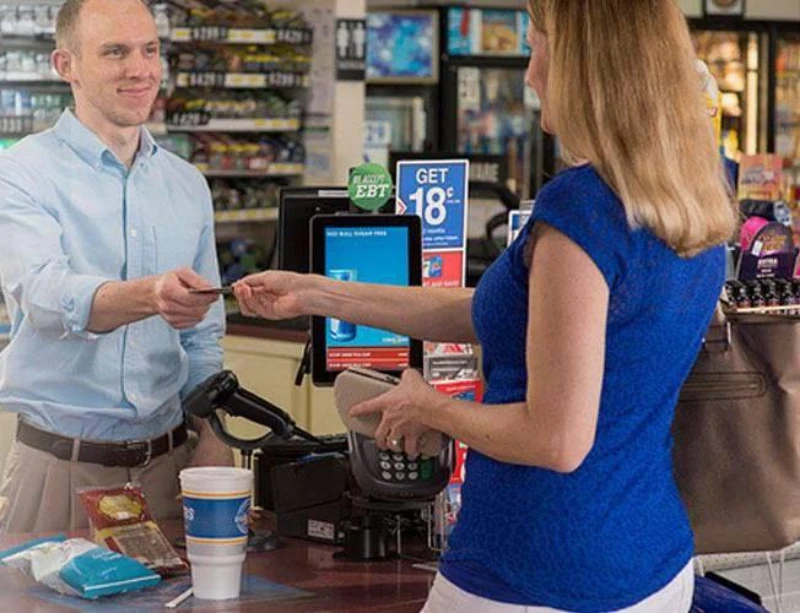
Multiple consumer guides and retailer summaries confirm Sheetz accepts EBT for SNAP-eligible purchases at many locations; user reports show some Sheetz terminals and kiosks surface a “SNAP eligible” filter.
How rules play out at Sheetz the real world (common cases)
1) Grocery shelf items, frozen and packaged food
If you pick up packaged bread, milk, frozen pizza (sold cold), canned goods, breakfast cereal, or a microwaveable frozen meal and pay at the register with EBT, that purchase is typically allowed. This is standard SNAP practice.
2) Cold subs, salads, and other cold MTO items
Cold sandwiches and salads that are not heated at the point of sale are commonly SNAP-eligible if the store treats them as grocery/deli items and the cashier rings them as such. Many Sheetz customers report a SNAP-eligible section on kiosks or MTO screens you can select. But the cashier or register must process the payment properly. User reports show success buying cold subs with EBT when ordered from the kiosk then paid at the register.
3) Milkshakes, smoothies, cold beverages
Milkshakes are a tricky, frequently-asked case. Milkshakes are prepared on site but are cold. Some states and retailers treat cold prepared drinks as SNAP-eligible; others do not. There are repeated user reports of people purchasing milkshakes at Sheetz with EBT when the item is treated as a cold, SNAP-eligible kiosk item and paid at the register. However this is not universal and depends on store policy and state rules. Test at your location (step-by-step below).
4) Hot Made-to-Order (MTO) food burgers, hot breakfast sandwiches, pizza slices
Generally not eligible. If the item is hot at purchase (steam table, hot case, or MTO marked as hot), SNAP federal rules exclude it, and the register will not accept EBT for that line item. Expect the cashier to ask for another payment method for hot items.
5) Ordering via app or third-party delivery
EBT online purchasing is allowed only for retailers enrolled in the USDA Online Purchasing program. If Sheetz or a delivery platform has not registered to accept SNAP online for your state, you cannot use EBT in the app. DoorDash has a mechanism to accept SNAP for eligible items where the merchant and state are enrolled; check DoorDash’s help page before attempting.
State waivers and recent policy changes why eligibility can vary by state
From 2025–2026 several states obtained USDA waivers that restrict certain purchases with SNAP (for example banning candy, soda, or other “junk food” from SNAP purchases). That means even if a product looks like a normal grocery item, it might be disallowed in your state. States with recent or planned restrictions include Indiana, Iowa, Nebraska, Utah, West Virginia and others; Texas and Florida have moved to restrict sugary drinks and candy in 2026. These state changes create real variability at the register. If you live in or shop in a state with SNAP restrictions, expect some items to be blocked.
Practical takeaway: always confirm the local rules at your store. See the state human services page for specifics before assuming an item is eligible.
How to buy the items you want at Sheetz with EBT step-by-step (expert workflow)
- Check the kiosk/app for a SNAP or “SNAP-eligible” filter. If it appears, use it that narrows choices to items the store intends to process under SNAP rules. Many Sheetz kiosks include a SNAP/category. If you can’t find it, pick the item and note whether the kiosk labels it SNAP-eligible.
- Order at the kiosk and take the ticket to the register (if the kiosk flow requires). Some customers report ordering MTO items from the kiosk and then paying at the register with EBT. This lets the cashier see the order and ring eligible items properly.
- If buying packaged grocery items, ring them and swipe EBT at the register. That’s the simplest path.
- If buying mixed orders (some eligible, some not), be ready with a second payment method. The register can often split the payment: EBT for eligible grocery lines and a credit/debit for the rest.
- For app orders or delivery, check whether Sheetz is signed up for USDA online purchasing in your state. If not, app checkout will not accept EBT. For DoorDash and similar services, confirm eligibility via their help pages.
- If the register denies a purchase you believe should be eligible, politely ask the manager or cashier to check the item code. Mis-programmed item SKUs are a common cause; managers can re-ring or adjust coding. Keep the receipt. If needed, contact your state SNAP office for clarification.
Common mistakes (and how to avoid them)
- Assuming “cold” always equals eligible. Cold can be eligible, but if the store sells it as a prepared deli item or heats it, it may be excluded. Confirm the kiosk label or ask a cashier.
- Trying to pay with EBT in the Sheetz app without checking enrollment. Most app purchases still require online SNAP enrollment. Don’t expect EBT to work in every app order.
- Ordering mixed MTO items and expecting EBT to cover everything. Hot MTO items are denied by federal rules. Split payments ahead of time.
- Not knowing state exceptions. State waivers banning soda or candy with SNAP make seemingly ordinary items ineligible. Check your state guidance first.
How Sheetz typically handles MTO orders and EBT (what customer reports show)
- Many Sheetz stores include a “SNAP eligible” label on kiosk menus and register systems so cashiers can ring the right code. Customers commonly report success buying cold MTO items (cold subs, milkshakes in some locations) when the kiosk labels them and they pay at the register. But experiences vary by store and cashier training. If a local store recently changed checkout software or state rules, expect differences.
FAQ quick answers people search for
1: Can you buy a Sheetz milkshake with EBT?
Possibly. Milkshakes are cold but prepared on site. Some Sheetz locations will allow EBT payment for milkshakes if the item is coded and presented as SNAP-eligible. This is not uniform, try the kiosk, then bring the ticket to the register, or ask the cashier before ordering. Test one purchase first.
2: Can I use EBT on the Sheetz app or website?
Not necessarily. EBT online use requires the retailer to be part of the USDA online purchasing program for your state. If Sheetz (or the ordering platform) is not enrolled in that program in your state, the app will not accept EBT. Confirm via the app help page or USDA online retailer list.
3: Are hot items like burgers or hot pizza covered?
No. Hot prepared foods sold ready to eat are disallowed under federal SNAP rules. A hot burger or hot pizza slice is almost always not eligible.
4: Why did my EBT card get declined for something that looked like a grocery?
Two common reasons: (1) the item is coded as prepared/hot at the point of sale, or (2) your state has a restriction (soda/candy bans) that makes the item ineligible. Ask for the manager to recheck the SKU. Keep the receipt.
5: Can I use EBT on delivery platforms for Sheetz orders?
Only if the delivery platform and the merchant are enrolled for SNAP online purchasing in your state. DoorDash supports SNAP orders in participating markets; check their help center for details.
Expert tips (save time and avoid embarrassment at checkout)
- Call your local Sheetz and ask a manager how they process SNAP items on kiosks and whether milkshakes or cold MTO items are coded as SNAP-eligible. Store policy varies; a 30-second call prevents surprises. Use the store finder. Bring a backup payment method when buying MTO food. It’s the fastest way to split a mixed purchase.
- Look for the SNAP label on kiosks. Items marked SNAP-eligible are much more likely to work with EBT at the register.
- If you need hot food because of disability or homelessness, ask about the Restaurant Meals Program (RMP) . Some states have RMPs that allow eligible people to buy hot prepared meals with SNAP. RMP participation is limited and state-specific.
Decision guidance when to use EBT at Sheetz and when not to
- Use EBT for packaged groceries, milk, bread, cold deli subs labeled SNAP, and frozen grocery items.
- Avoid expecting EBT to cover hot MTO items, alcohol, tobacco, and store non-food items.
- If you need a hot meal and can’t cook, check whether your state participates in RMP; it may allow hot prepared meals for certain recipients.
Sources and where to check (official pages and helpful pages)
- USDA official SNAP eligible food guidance. Sheetz official site and store finder (call the store for local policy). Consumer guides and recent explainers summarizing retailer SNAP practice.
- User experiences on Reddit and Facebook showing variability and kiosk/register workflows.
- DoorDash helps explain SNAP on delivery where available. News coverage of state SNAP waivers that may ban candy, soda or other items in specific states (AP, ABC, state HHS pages).
Quick checklist to follow before you shop at Sheetz with EBT
- Look for a SNAP filter or SNAP label on kiosks.
- Call your local store and ask what MTO items are coded SNAP-eligible.
- Bring a second payment method for mixed orders.
- If ordering online or via delivery, confirm the retailer/platform is enrolled for SNAP online purchasing in your state.
- If denied at checkout and you think the item should be eligible, ask the manager to re-ring the item or check the SKU. Keep your receipt.
Final practical example (scenario)
You want a milkshake and a bag of bread. At a Sheetz near you:
- Step 1: Use the kiosk and search for “milkshake.” Look for “SNAP/SNAP eligible.” If the kiosk flags it as SNAP-eligible, print your ticket. If there is no flag, ask the cashier.
- Step 2: Bring the kiosk ticket and the bread to the register. Tell the cashier you want to pay with EBT for eligible items. The cashier will ring bread as grocery and, if coded, the milkshake as SNAP-eligible. If the milkshake is coded as a prepared/deli/hot item, the register will block it pay separately.
- Step 3: If you’re blocked, ask a manager to re-check the item code. If still denied and you believe the item should be eligible, use the backup card or come back after confirming store policy.
Final notes on rights and appeals
If you feel a store incorrectly blocked a SNAP-eligible purchase, keep the receipt and contact your state SNAP office for a review. Retailer item coding errors happen and may be corrected. If your state has implemented a restriction (soda, candy, etc.), the retailer is required to block those items. State human services websites post lists and Q&A for local changes.